CHI 97 Electronic Publications: Formal Video Program
Distributed Applets
Marc H. Brown
Marc A. Najork
DEC Systems Research Center
130 Lytton Ave.
Palo Alto, CA 94301 USA
+1 415 853-215[23]
mhb@ariba.com, najork@pa.dec.com
ABSTRACT
This video shows several examples of distributed active web content,
that is, applets that can communicate with other applets running on
different machines.
Keywords
Active objects, applets, distributed applications, groupware.
© 1997 Copyright on this material is held by the authors.
BACKGROUND
One of the most exciting recent developments in Web-browser technology
is active content, where the browser downloads a program,
executes it, and displays the program's user interface in a Web
page. Sun's HotJava browser with Java applets pioneered active
content, and now, the industry-standard browsers support active
content, written in a variety of languages.
We have worked on distributed applets, that is, applets that
can communicate with other applets located on different machines. We
provide high-level support for distributed computation, thereby making
it easy to write collaborative applications such as groupware and
multi-player games.
Our distributed applet technology is based on Obliq
[5], an object-oriented scripting language that
was specifically designed for constructing distributed applications
in a heterogeneous environment. We call applets written in Obliq
Oblets (Obliq applets) [2].
We have built a family of Web browsers that support Oblets
[1, 4].
Obliq supports distributed computation by implementing all objects as
network objects. The methods of a network object can be invoked by
other processes, in addition to the process that created the
object. The initial connection between two processes occurs when one
process registers an object with a name server under a unique name,
and another process subsequently imports the object from that name
server. Once the connection is established, other network objects can
be passed between processes just as simply as passing any other type
of data.
For network objects, method calls and field accesses have the same
syntax regardless of where the object resides. It might reside in the
same process as the caller, or in a different process either on the
caller's machine or on some other (possibly different type of)
machine. Thus, from a programmer's perspective, there is no difference
between local and remote objects. As a result, network objects provide
a uniform way for communication among Oblets, regardless of whether
the Oblets are on the same Web page or on different Web pages
displayed by different browsers on different machines. Moreover,
network objects communicate directly, without server
intervention. Thus, Oblets do not impose any load on an HTTP server,
nor does a heavily loaded server affect their performance.
This video shows four distributed applications we have built using
this technology.
EXAMPLE 1: "HELLO WORLD"
This example show a simple distributed application that illustrates
the fundamentals of Oblets. The application consists of two Oblets
running on different machines. One Oblet, the server (left), allows a
user to select one of four colors. The other Oblet, the client
(right), displays the name of the chosen color inside a rectangle of
that color.
The server Oblet's user interface consists of four radio buttons,
labeled "Red," "Green," "Blue," and "Black." The client Oblet's user
interface consists of a colored rectangle surrounding a string. When
the user of the server Oblet clicks one of the radio buttons, a
callback procedure attached to this button calls a method of the
client Oblet, which changes the string and the color of the
rectangle. Each Oblet consists of just 13 lines of code, only one of
which is specific to distributed applications.
EXAMPLE 2: TIC-TAC-TOE
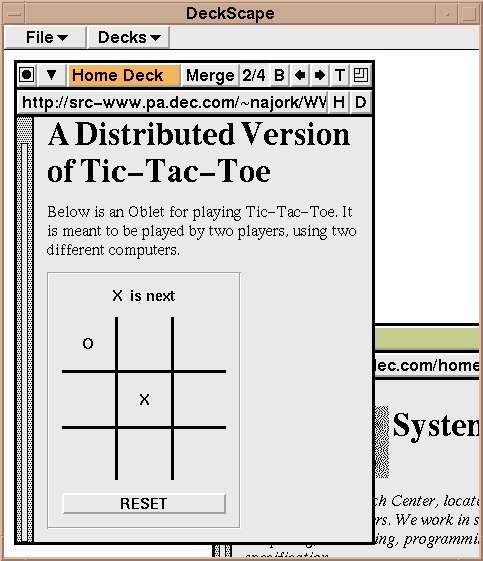
TThis example shows a tic-tac-toe Oblet that allows two users on
different machines to play against each other. The following screen
dump shows a snapshot of a game in progress. The left image shows the
browser used by player "O," the right image shows the browser used by
player "X". The Oblet of player "O" is disabled, and the message line
indicates that player "X" is next.his example shows a tic-tac-toe
Oblet that allows two users on different machines to play against each
other. The following screen dump shows a snapshot of a game in
progress. The left image shows the browser used by player "O," the
right image shows the browser used by player "X". The Oblet of player
"O" is disabled, and the message line indicates that player "X" is
next.
A user starts a game by visiting the tic-tac-toe Web page, which
causes the tic-tac-toe Oblet to be loaded and invoked. Upon
invocation, the Oblet attempts to import an opponent's tic-tac-toe
Oblet from a dedicated name server. This call succeeds if there is
indeed another player waiting for a game to begin. Otherwise, the
Oblet exports itself to the name server, disables its game board, and
waits for a second player to visit the Web page.
EXAMPLE 3: CHAT ROOM
This example shows an Oblet-based chat room application that allows
several users to communicate through a shared text editor.
The Oblet's user interface has four parts: a status line at the top,
an editing region in the middle, and a type-in field and a "Grab
Floor" button at the bottom. When the user clicks on the "Grab Floor"
button, the status line on all participating Oblets will indicate who
owns the floor (using the contents of the type-in field of the Oblet
now owning the floor), the editing region on all Oblets (other than
the one owning the floor) will become passive, and the editing region
in the Oblet owning the floor will become active and its color will
change to pink. When the user who owns the floor types into the
editing region, all of the participating Oblets will be notified of
the updated text.
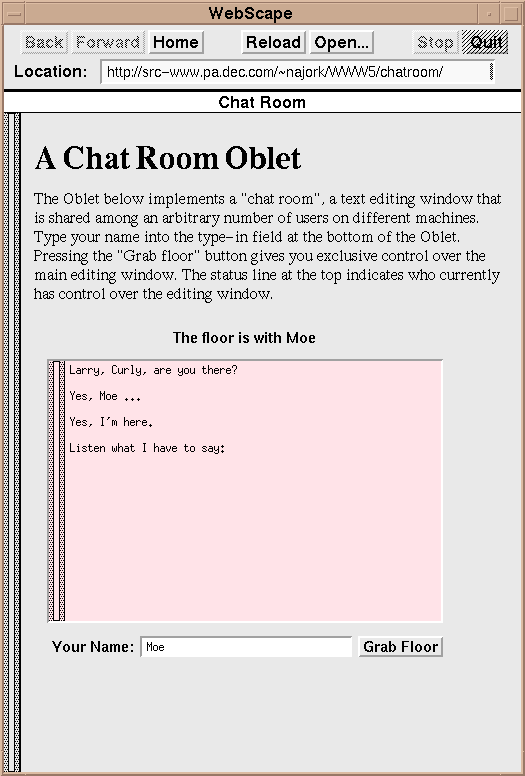
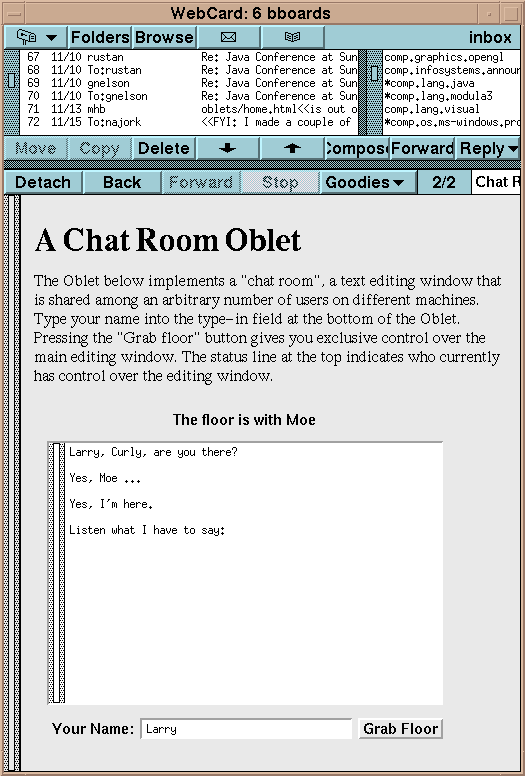
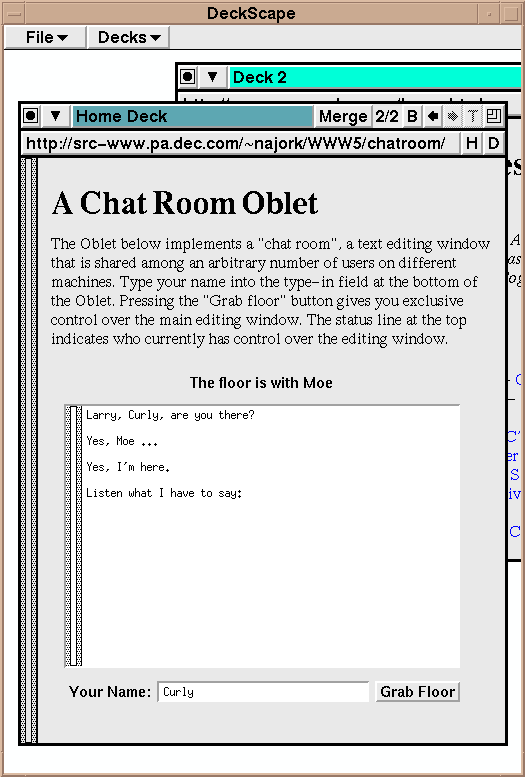
The three screen dumps above show the chat room Oblet running in
different browsers. Each browser is running on a different
machine. The participants in the chat room are Moe, Larry, and Curly
(from left to right). Currently the floor is with Moe, as indicated by
the status line over the editing region and by the color of the
editing region in Moe's browser.
EXAMPLE 4: ALGORITHM ANIMATION
The final example shows how we have used Oblets for building algorithm
animations [3]. Embedding algorithm animations into
Web pages allows us to use the text and multimedia capabilities of the
Web for describing the algorithms, and the applets to implement the
algo-rithm together with one or more animated, interactive views of
it. The result is an "electronic textbook" on algorithms.
Moreover, the distributed nature of Oblets makes such a textbook
suitable for "electronic classrooms" as well as remote learning
environments. In such a setting, an instructor can control an
animation, and students can all view the animation simply by pointing
their Web browsers at the appropriate page or pages.
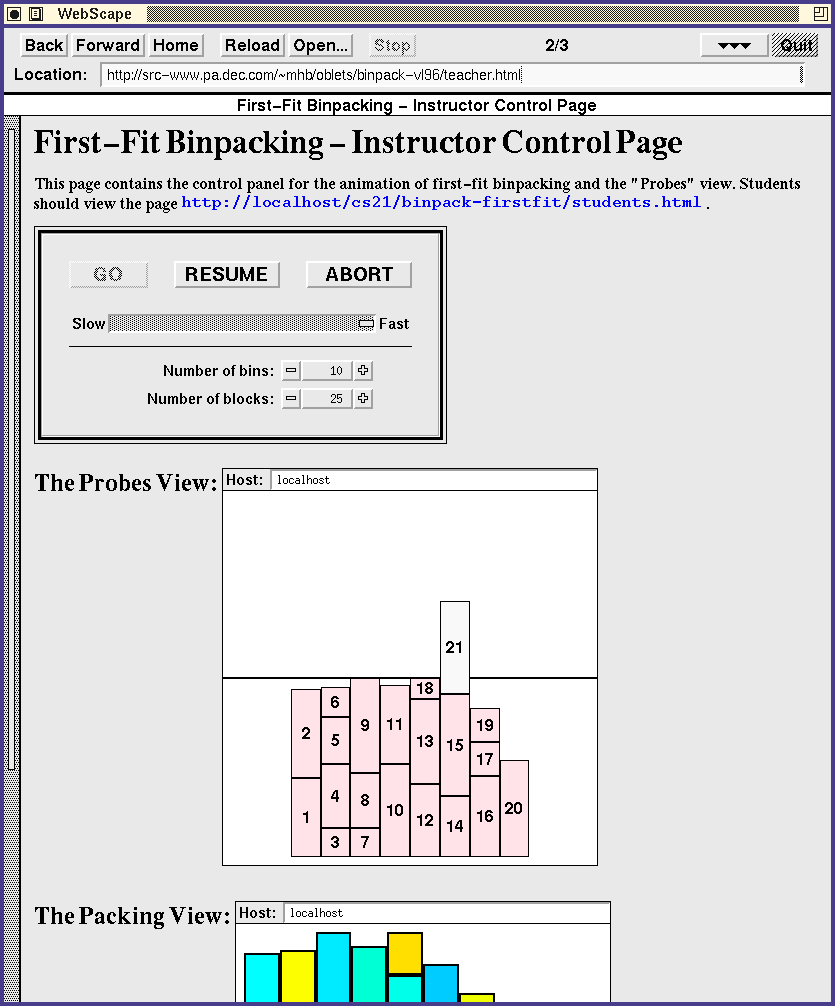
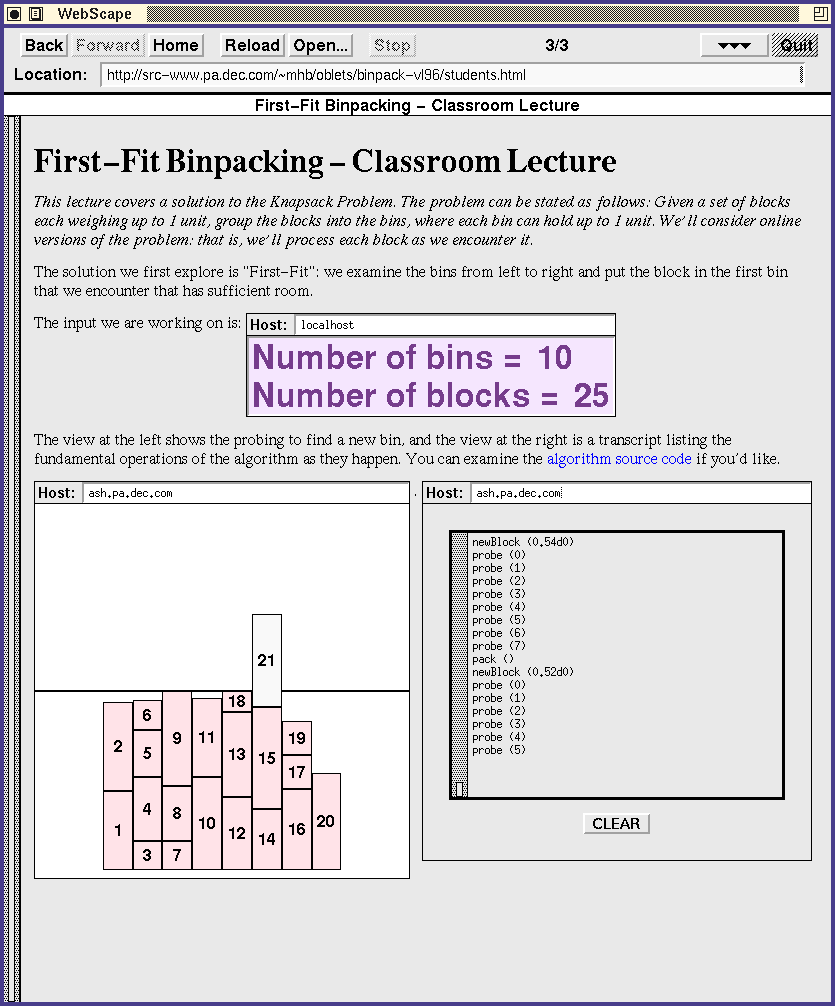
The screen dumps above are from a chapter on binpacking from a
prototype collaborative electronic textbook. The instructor's screen
(left) displays a Web page containing a control panel, a "Probes"
view, and a "Packing" view. A student's screen (right) shows three
views of the same algorithm, embedded into a different Web page. A
"Glossary" view at the top shows the number of bins and blocks
specified by the instructor in the control panel. Below that is the
"Probes" view and a "Transcript" view. The student can scroll through
the "Transcript" view and clear its contents. In other words, each
student can control his views, but only the instructor can control the
algorithm.
REFERENCES
- Brown, Marc H. WebCard = Email + News + WWW. In CHI 97 Conference Companion.
- Brown, Marc H. and Najork, Marc A.
Distributed Active Objects. Computer Networks and ISDN Systems,
28 (1996) 1037-1052 (Proc. 5th Intl. World Wide Web
Conference).
- Brown, Marc H. and Najork, Marc A. Collaborative
Active Textbooks: A Web-Based Algorithm Animation System for an
Electronic Classroom. In Proc. 1996 IEEE Symposium on Visual
Languages, 266-275.
- Brown, Marc H. and Shillner, Robert A.
The DeckScape Web Browser.
In Human Factors in Computing Systems (CHI'96),
Conference Companion, April 1996, pages 420-421.
- Cardelli, Luca. A Language with Distributed
Scope. Computing Systems, 8(1):27-59, Jan. 1995.
CHI 97 Electronic Publications: Formal Video Program